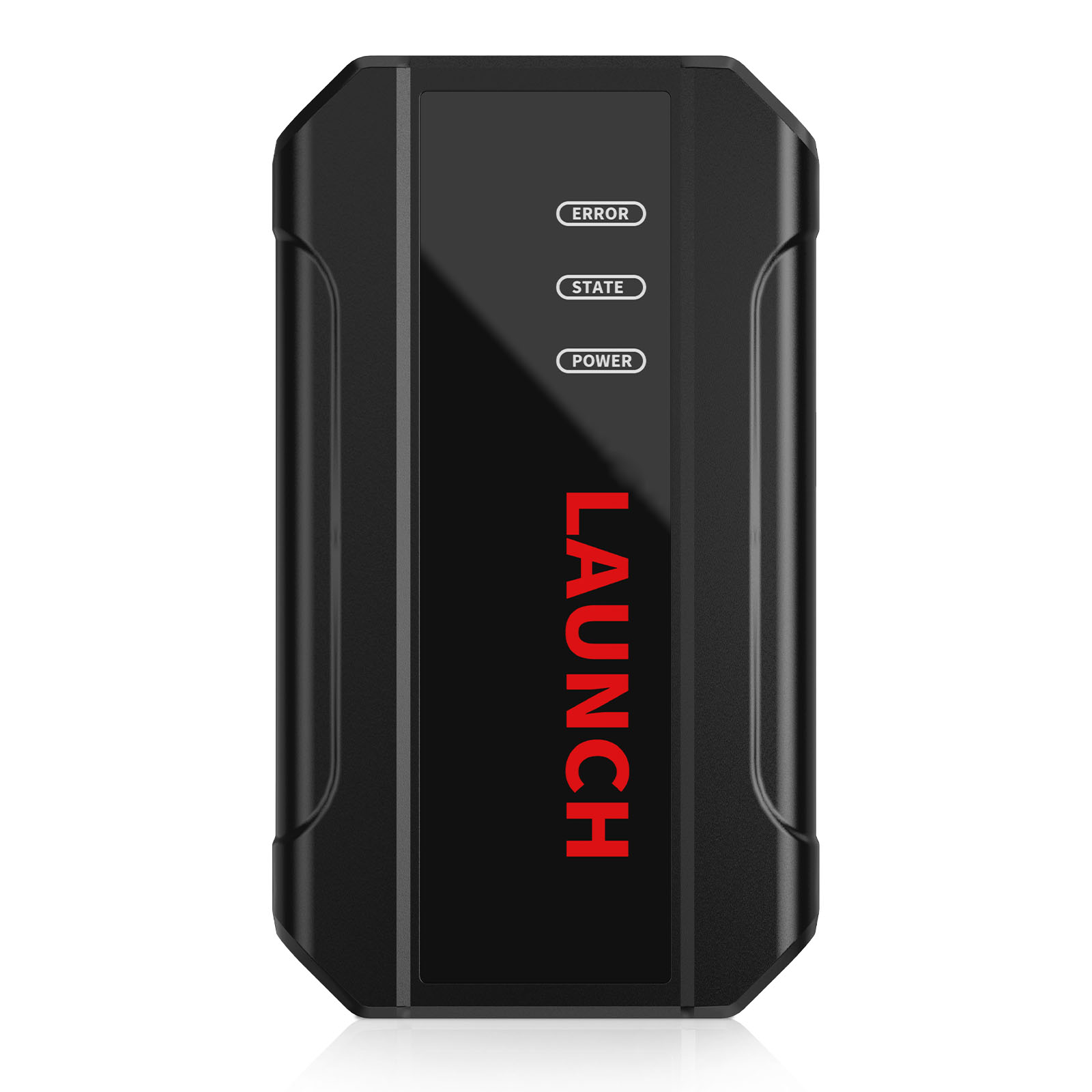
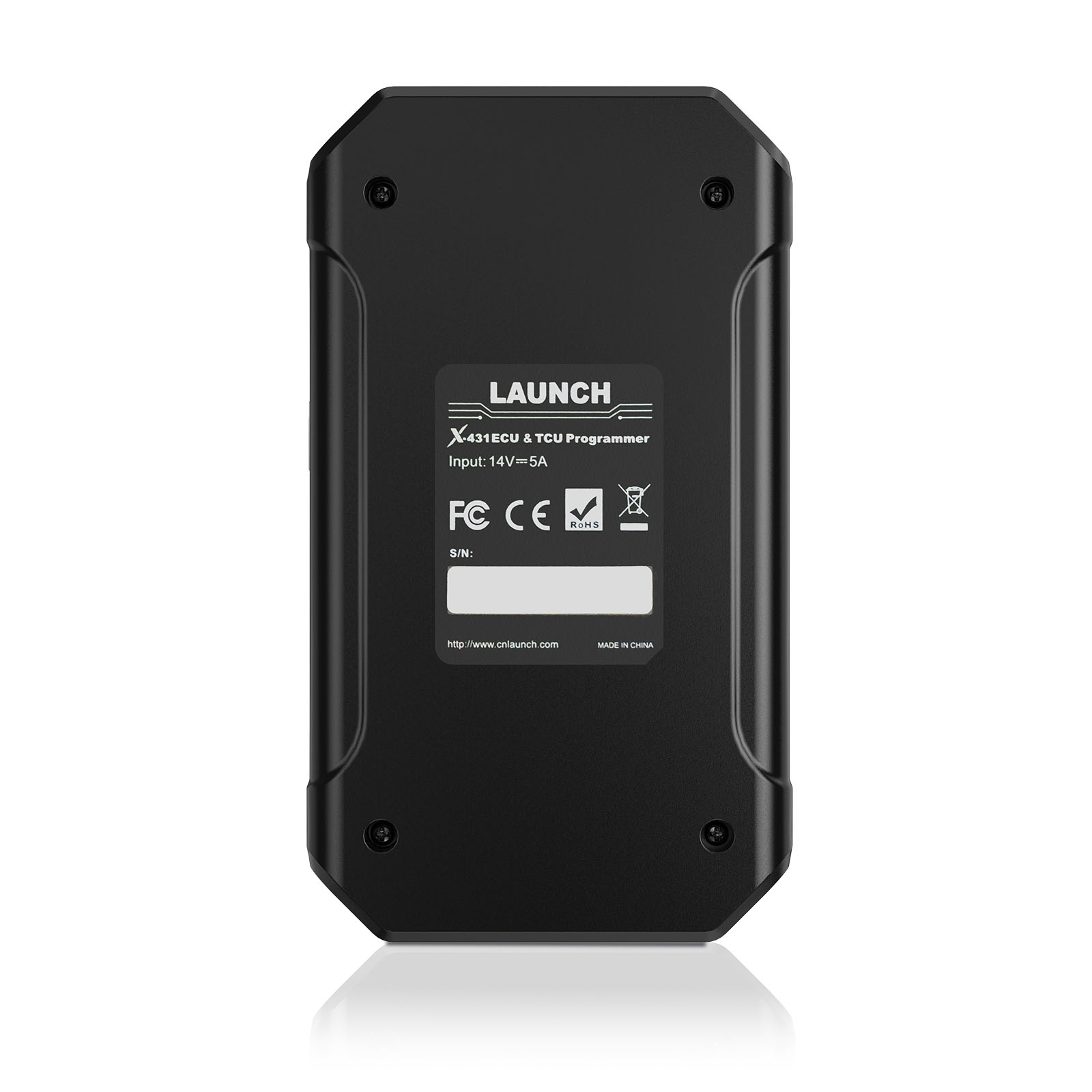
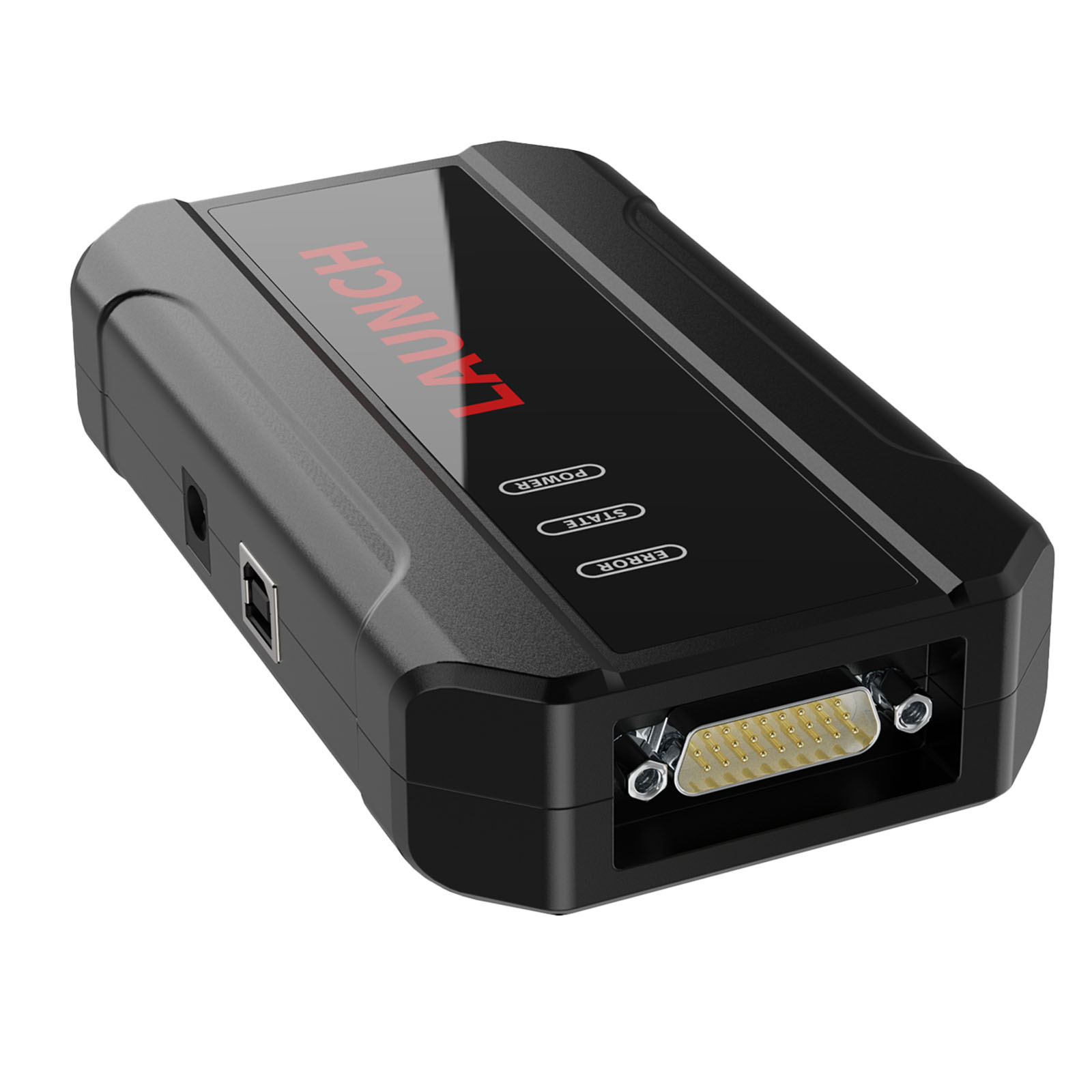
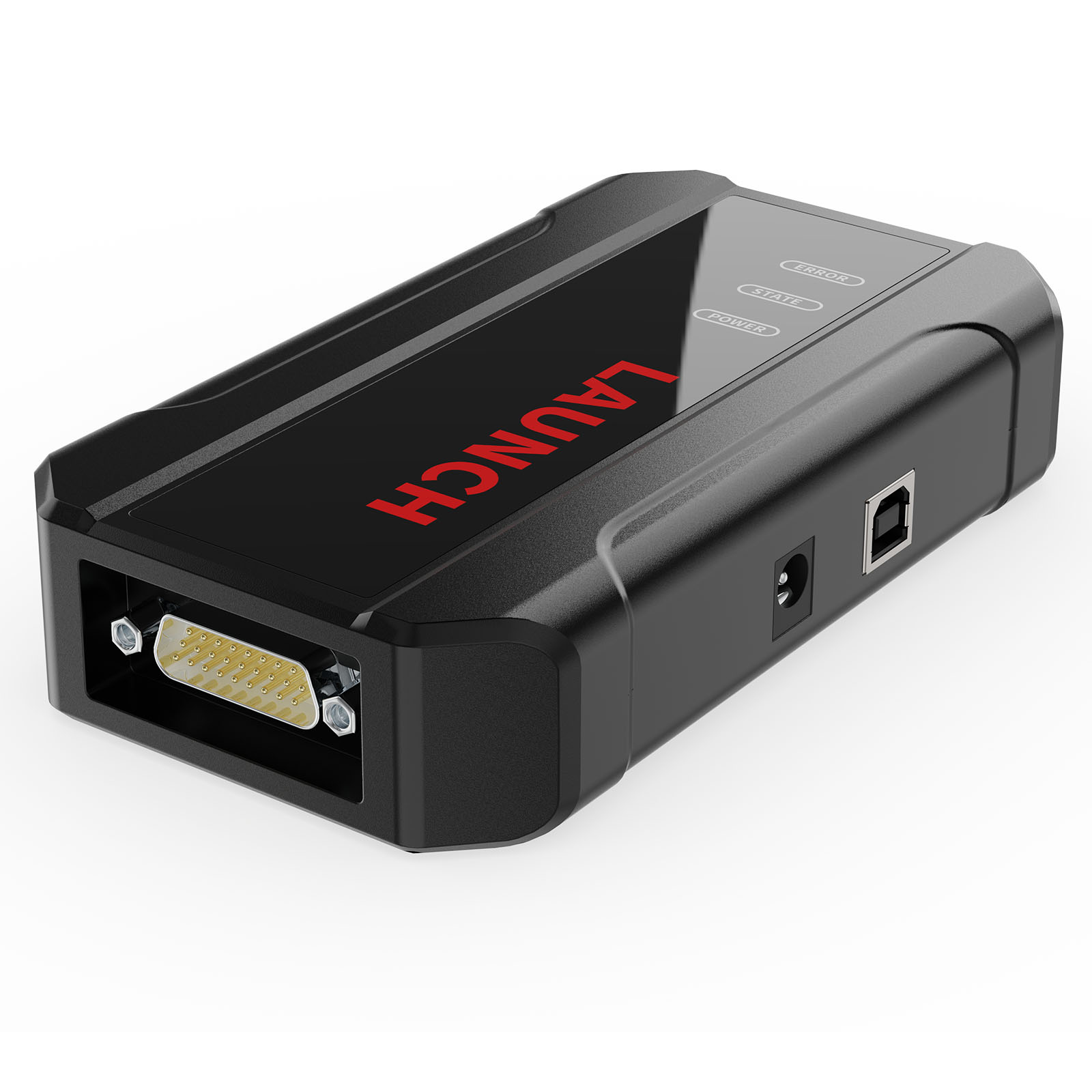
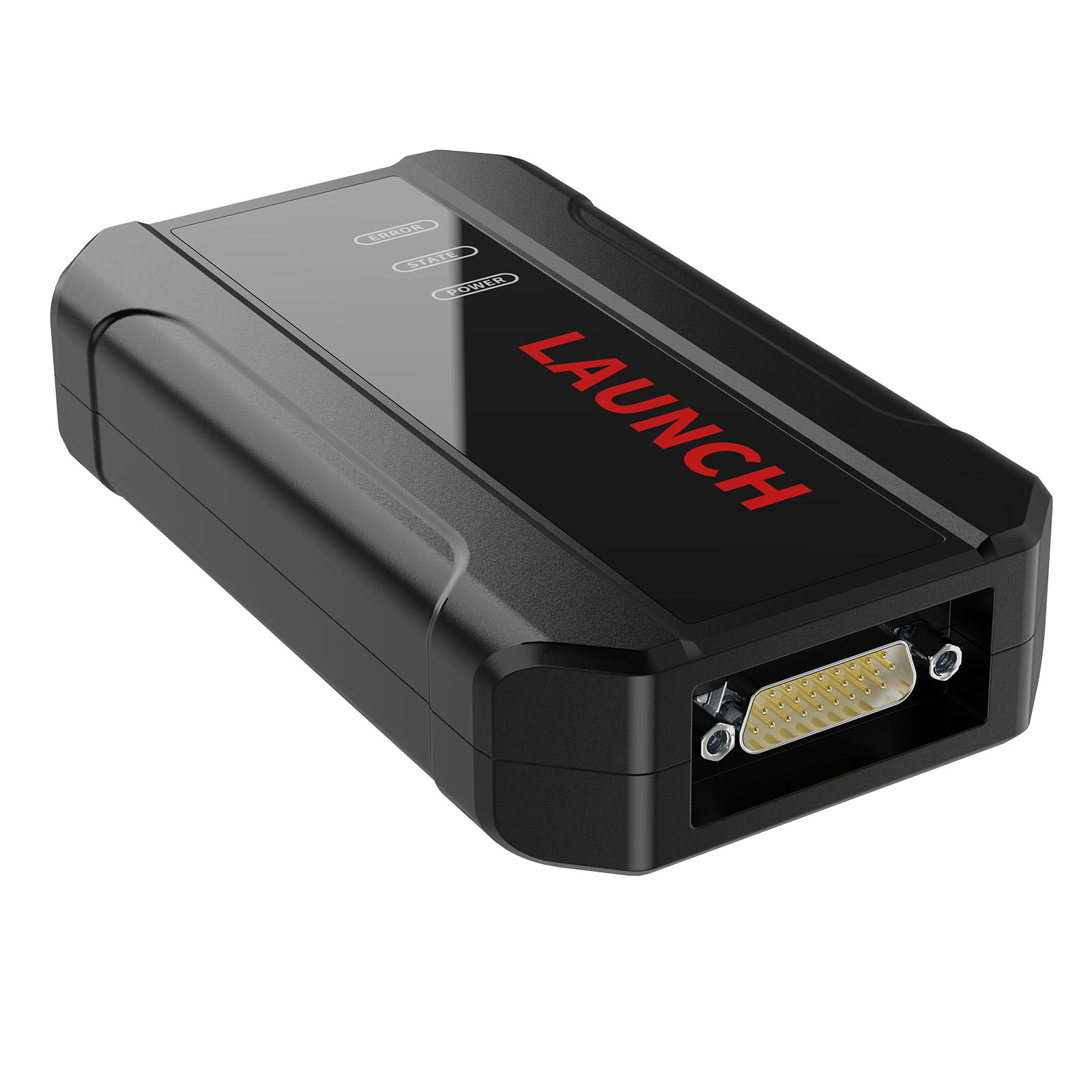
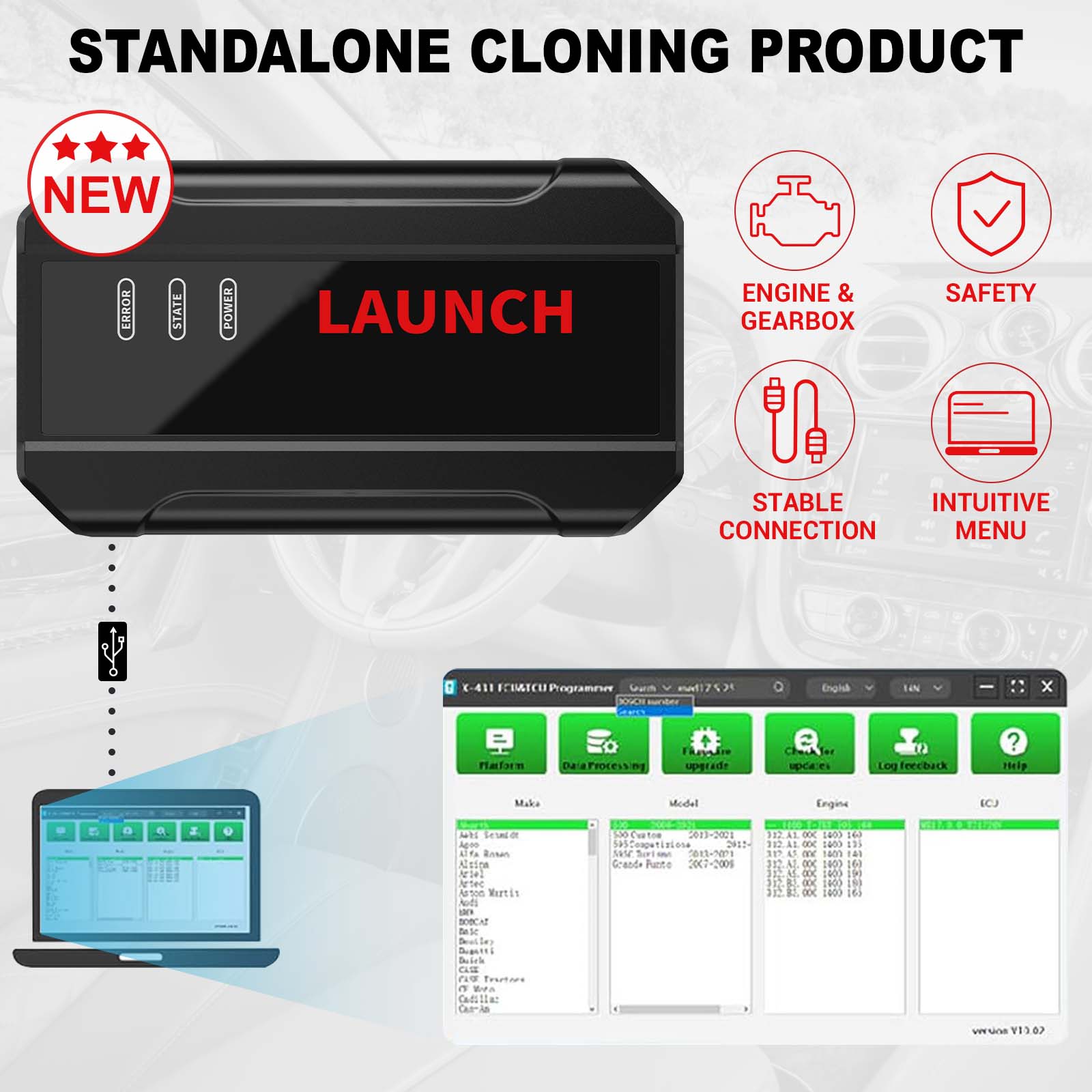


X431 Mega Sconti Spedito da UE/UK LAUNCH X431 Programmatore ECU & TCU - Lettura e Scrittura Dati con Menu 2D
Serie No.SE175
Disponibile.
Storia 25 vendite.
Prezzo al dettaglio: €594.00
100% Originale Launch Rinnovo Card:
Il miglior prezzo sul mercato per il tuo Rinnovo Annuale Launch!,Clicca qui>>
Launch X431 Mega Sconti:
X431 Mega Sconti L'evento termina il 13 Luglio. >>
Contattarci per VIP Prezzo:
Whatsapp: +86 18580434781
Spedizione:
Spedizione Gratuita
Superficie Servizio di Trasporto StandardTempo di Consegna: 12-25 giorni lavorativi.I dettagli »
Peso:
2.9KG
Pacchetto:
40.7cm*12.3cm*32.7cm
( Inch: 16.02*4.84*12.87 )
Ritorno:
Rimborso entro 30 giorni, il compratore paga il trasporto di ritorno. I dettagli»
€594.00
Disponibile.
Spedizione Gratuita
Descrizione del prodotto
Il nuovo Programmatore ECU & TCU di Launch è lo strumento indispensabile per i professionisti che necessitano di un controllo totale sulle centraline motore (ECU) e del cambio (TCU). Grazie alla tecnologia avanzata di Launch, questo dispositivo permette operazioni di lettura e scrittura dati estremamente veloci e sicure, supportando una vastissima gamma di veicoli.
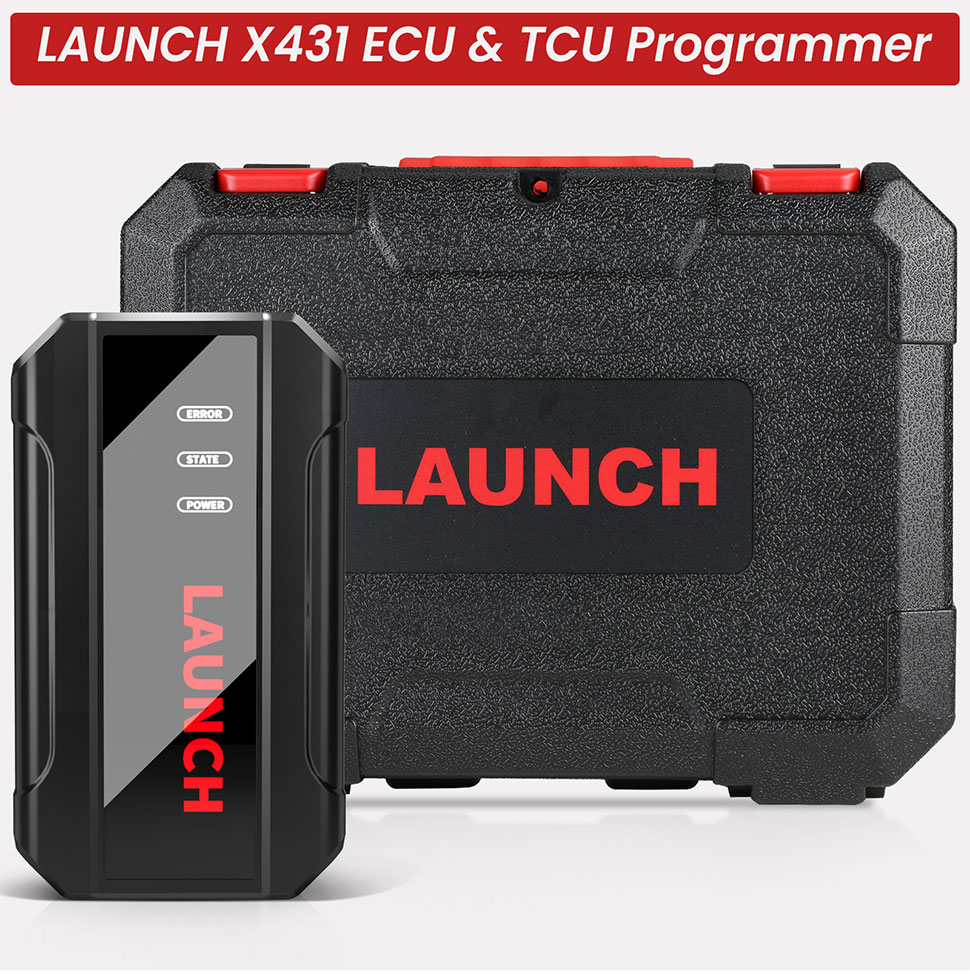
LAUNCH X431 Programmatore ECU & TCU - Lettura e Scrittura Dati con Menu 2D
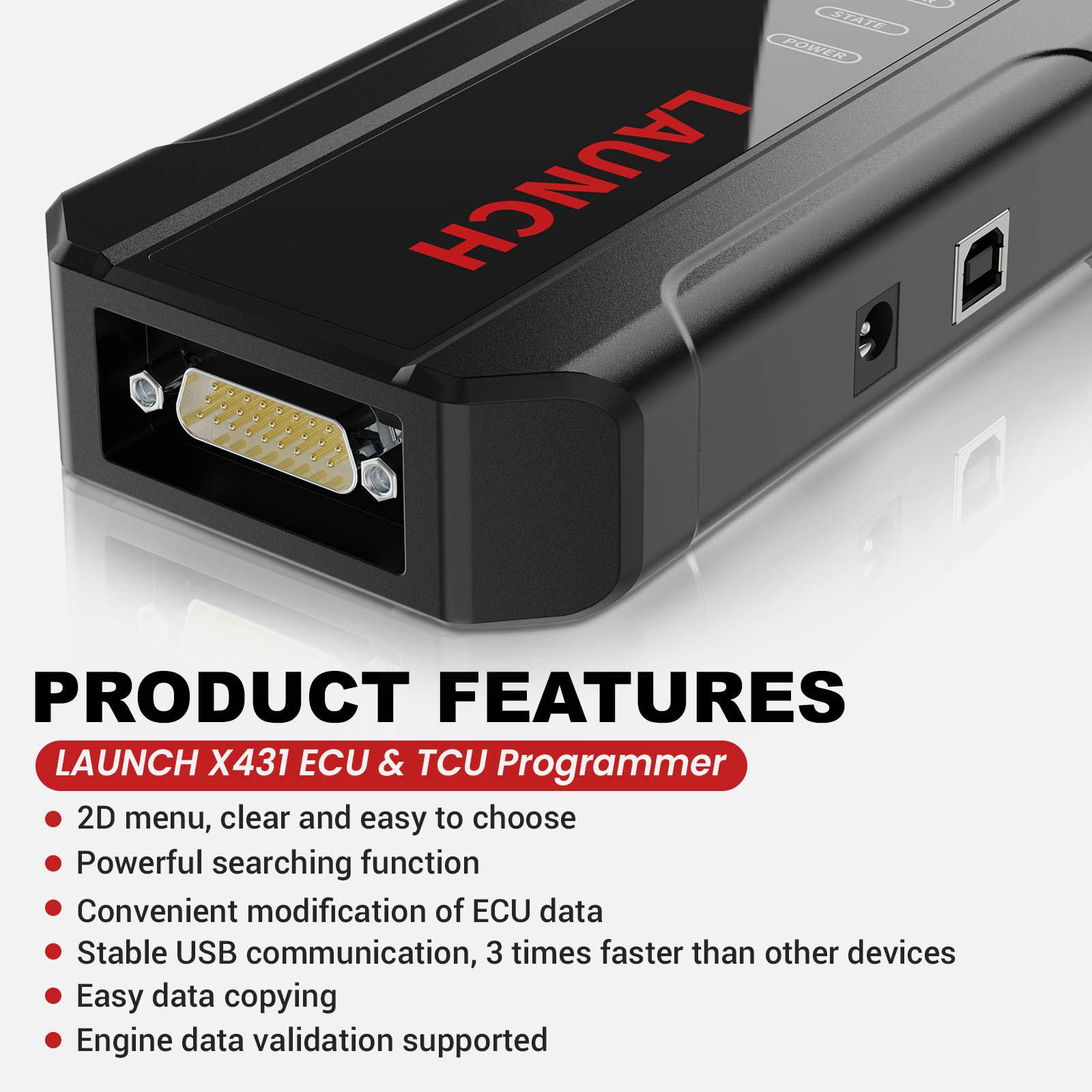
Product Features:
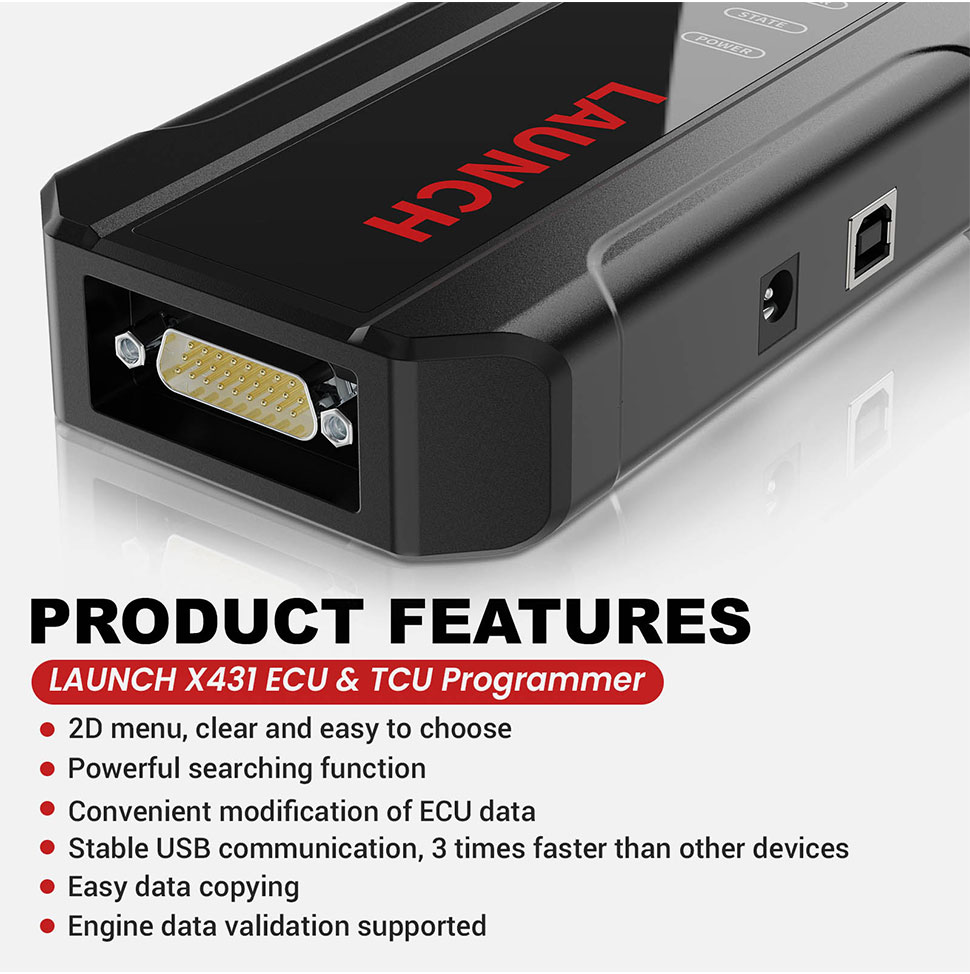
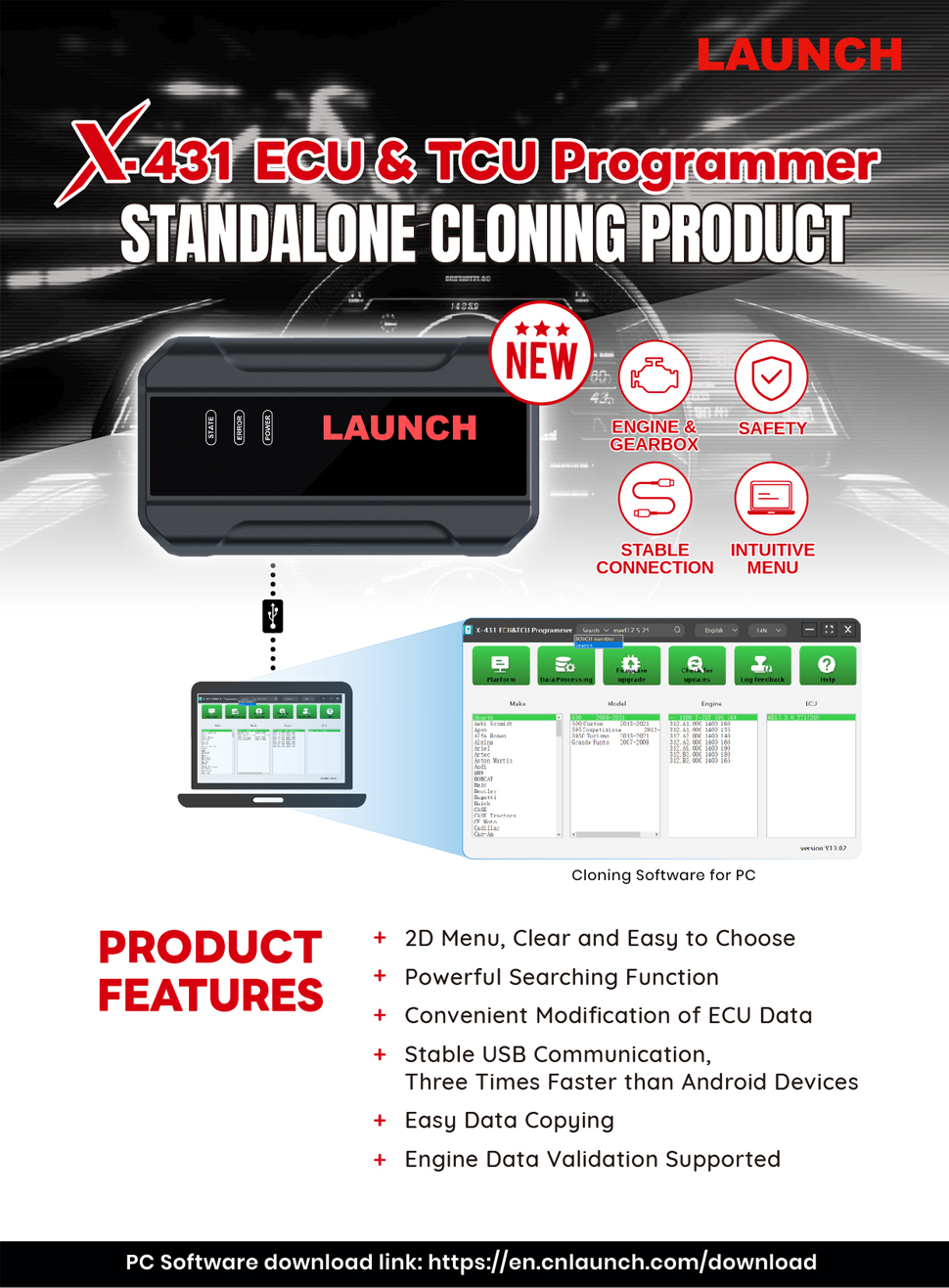
1. 2D menu, clear and easy to choose
2. Powerful search function
3. Convenient modification of ECU data
4. USB communication, with a speed more than three times that of Android devices, making it more stable
5. Easy to copy data
6. Support engine data validation function
7. One year free update.
7. One year free update.
Software download link: https://en.cnlaunch.com/download
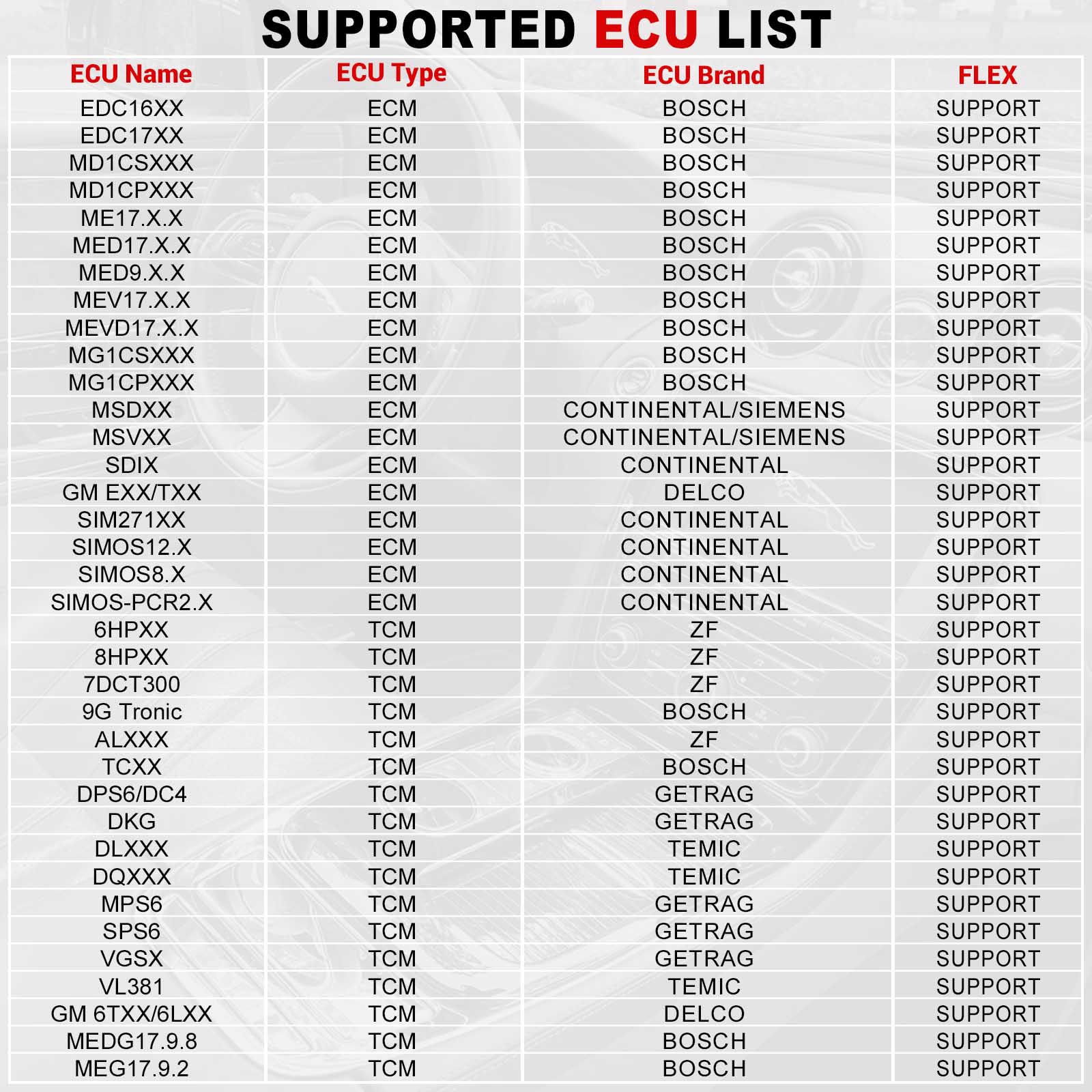
Support list June 2023:
Package includes:
PC Software Description:
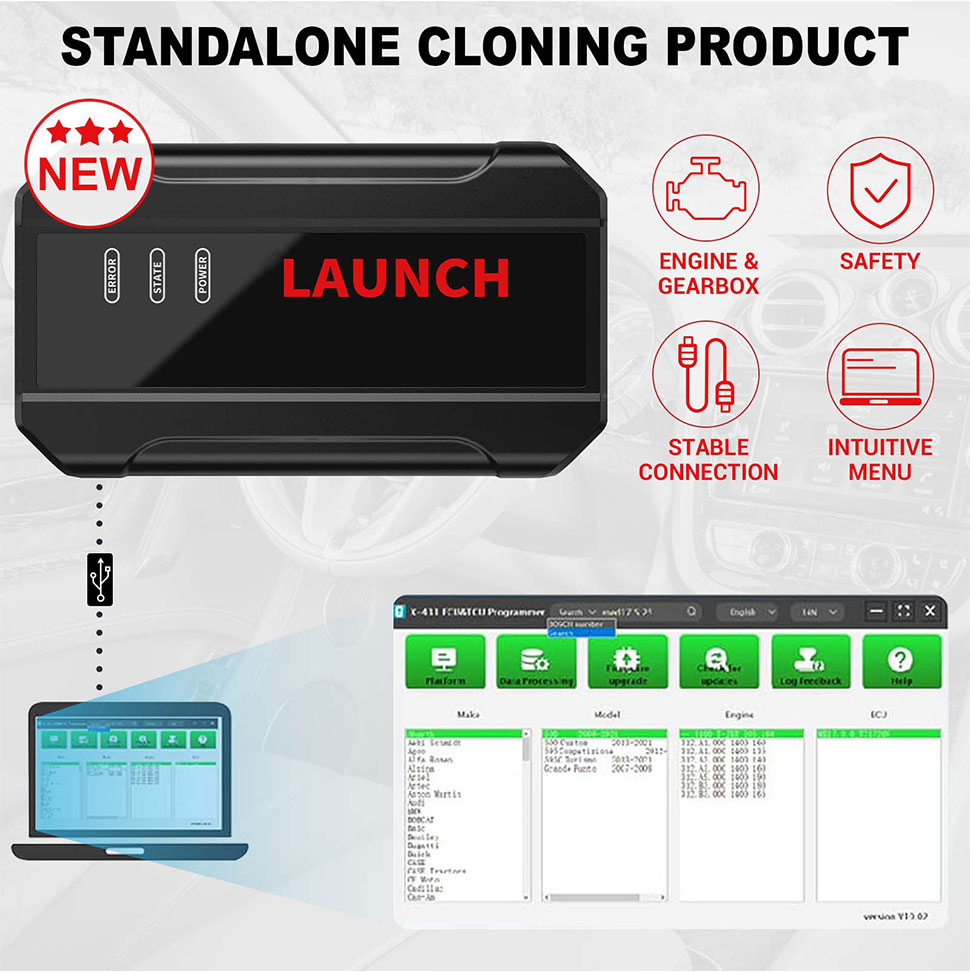
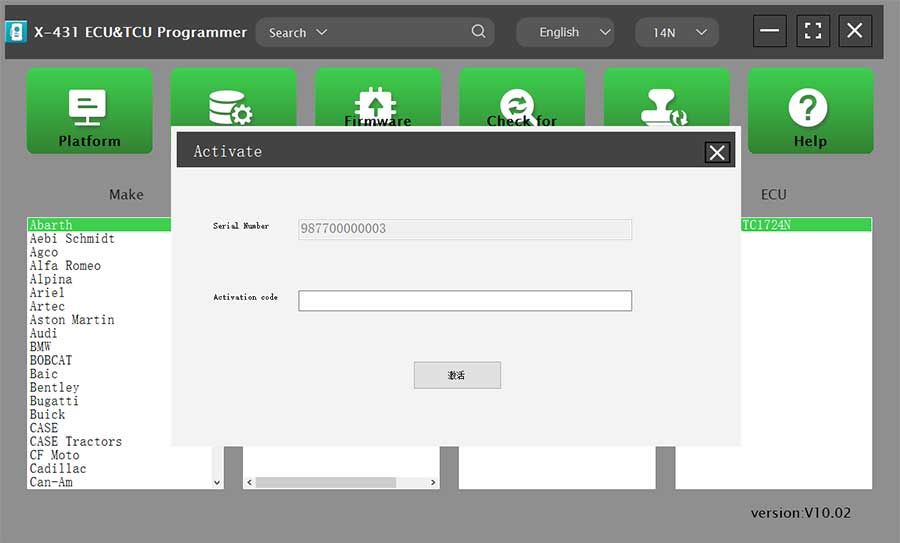
Firstly, connect the X-431 ECU&TCU Programmer to the computer with a hole wire. Then, click to enter the software. The serial number will be automatically recognized from the X-431 ECU&TCU Programmer, and the activation code needs to be obtained from the envelope bar of the X-431 ECU&TCU Programmer. Click [Activate] to activate (only activate once, no need to activate again later), as shown in Figure 1. Without connection, you cannot access the software, as shown in Figure 2.
I.ECU Data Reading/Writing
1. Obtain the related ECU.
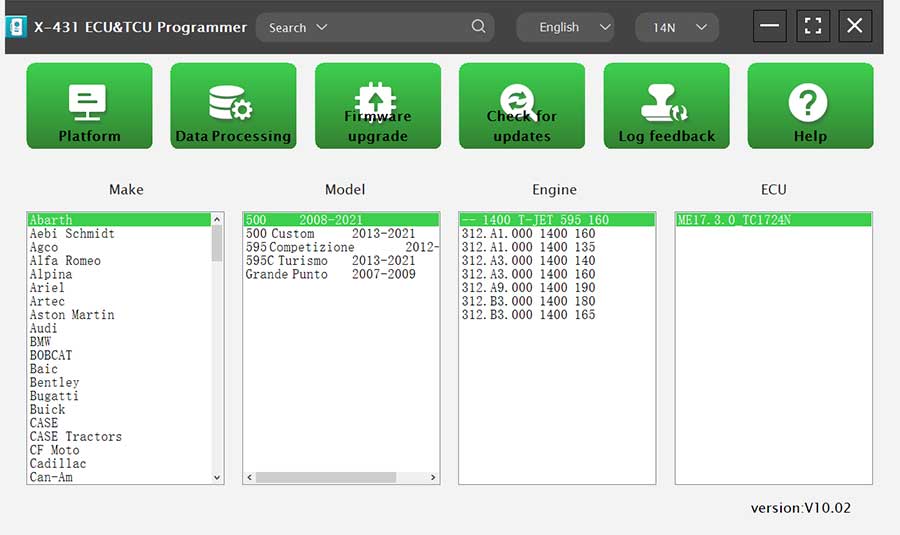
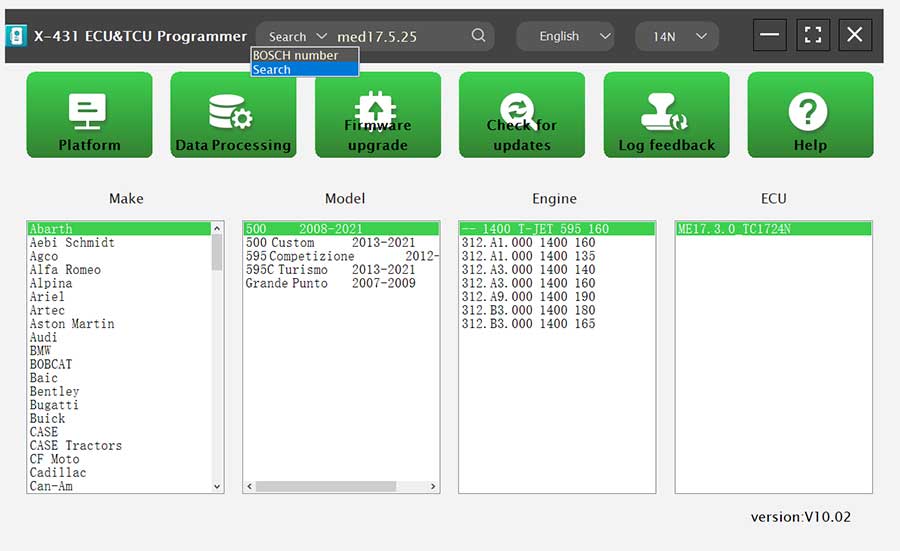
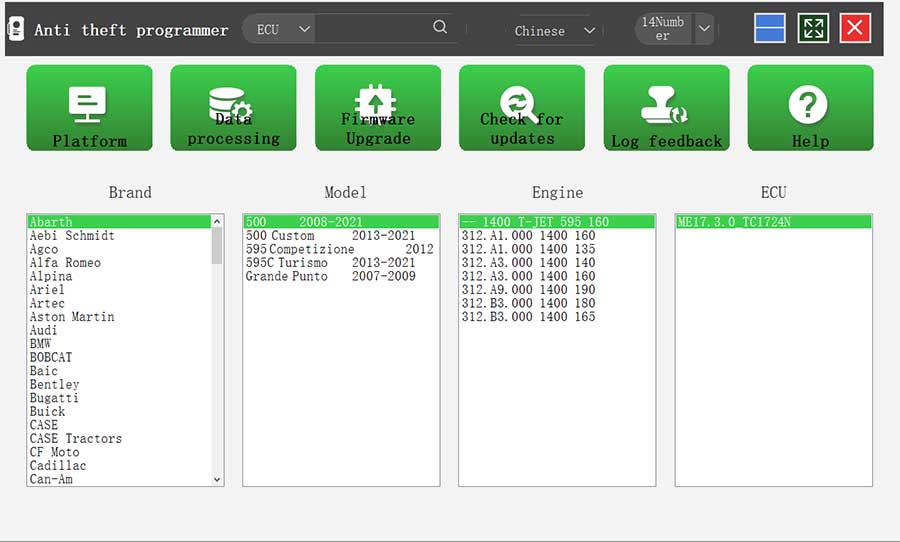
(1) Method 1: Obtain the desired ECU type through brand > model > engine > ECU in turn, as shown in Figure 3.
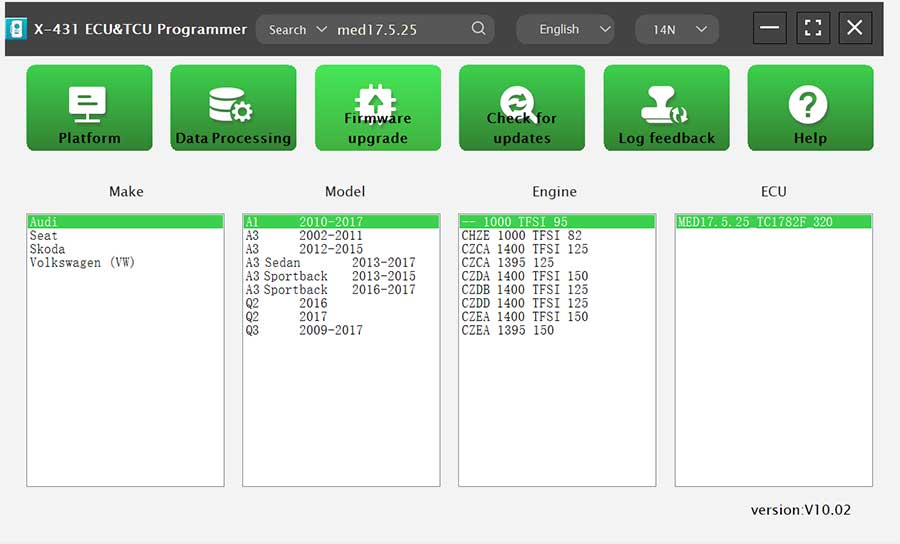
(2) Method 2: Query the desired ECU by entering a value in the search box. The search categories includeBosch number and Search, as shown in Figure 4. For example, search for the MED17.5.25 engine by Search, as shown in Figure 5.
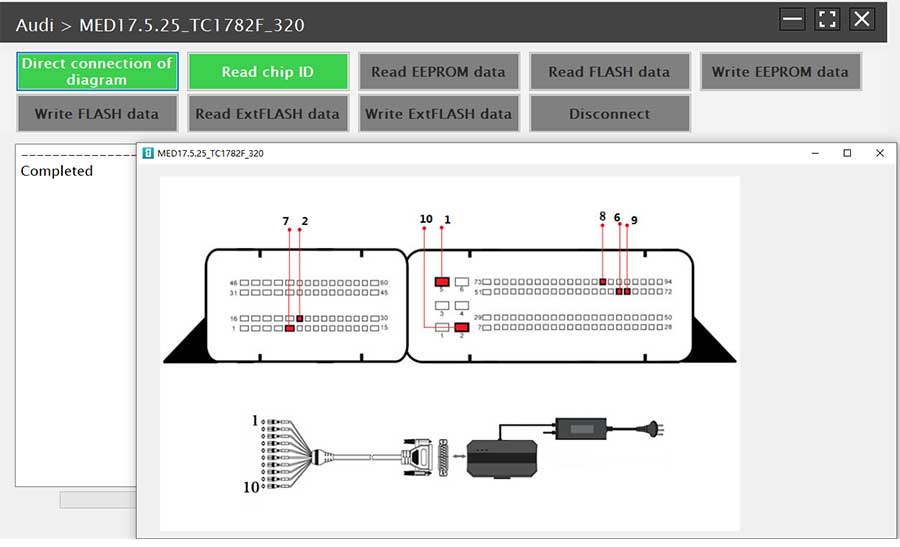
2. Click [Direct Connection Diagram] to obtain the ECU connection diagram, as shown in Figure 6.
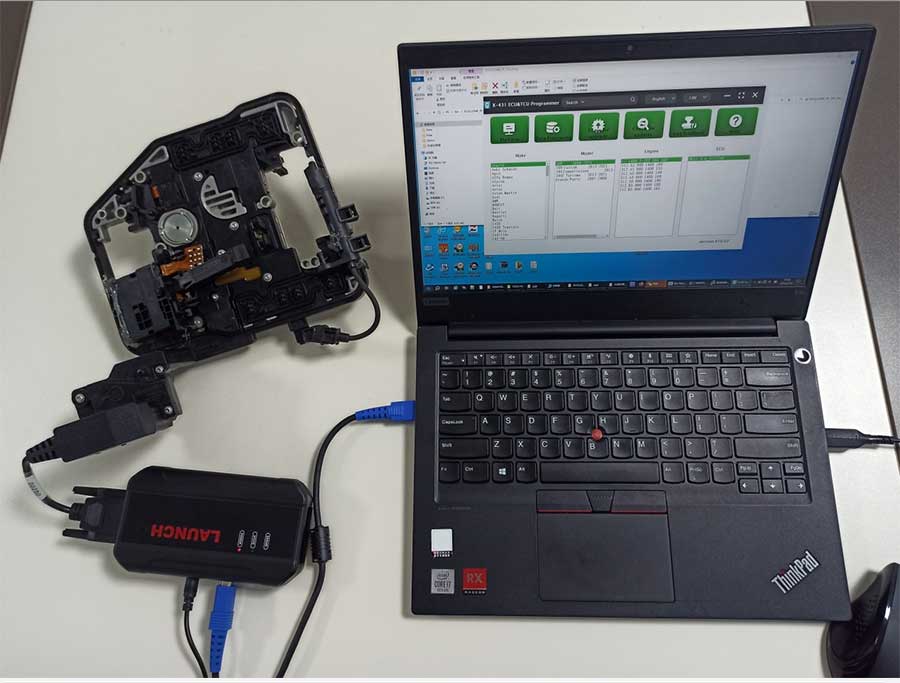
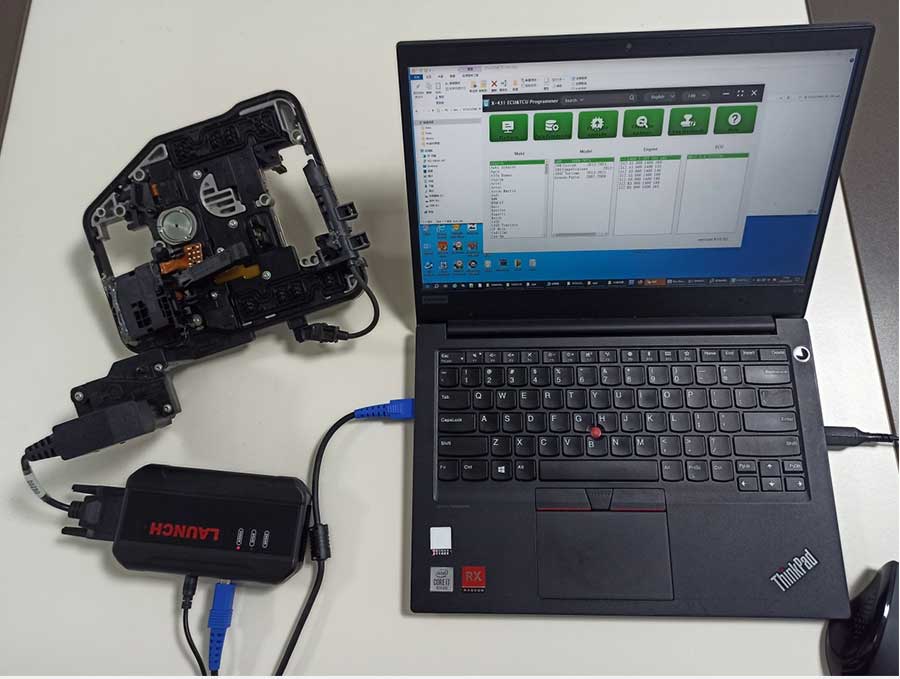
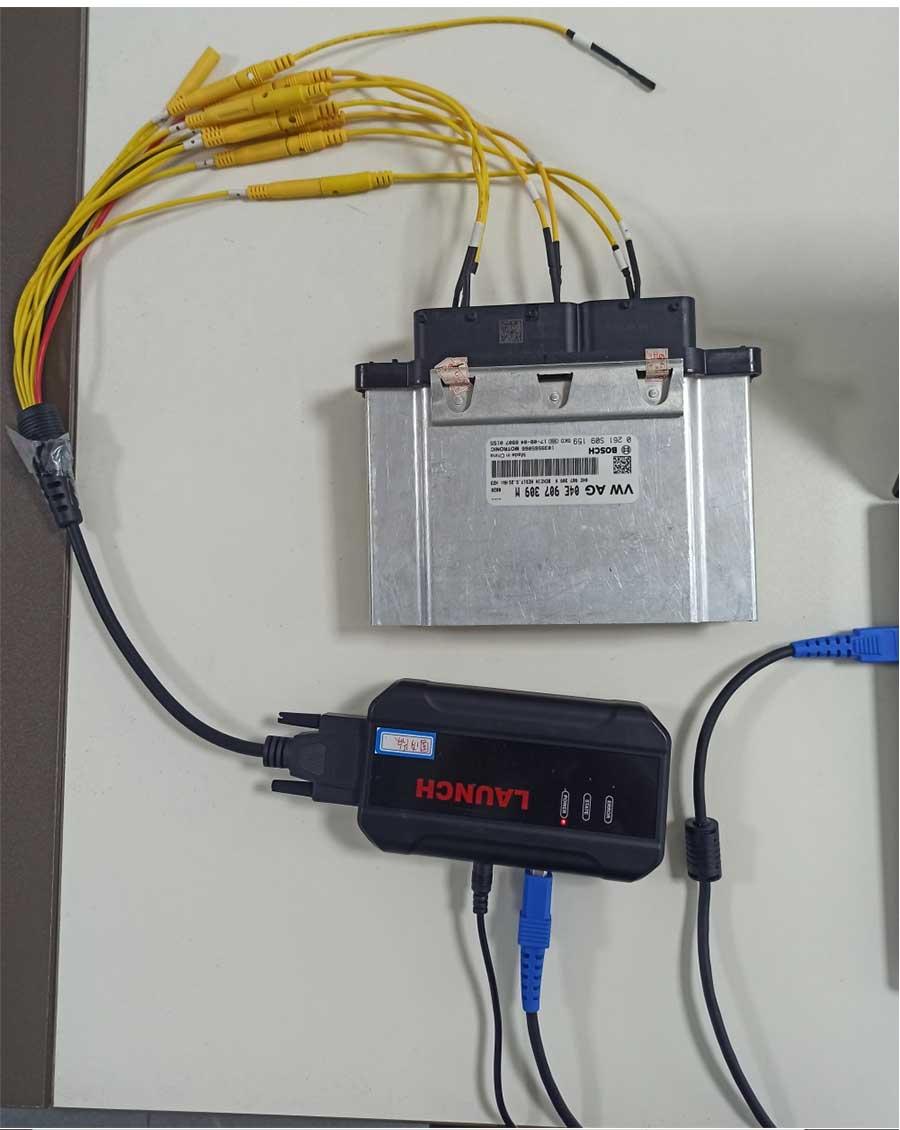
3. Connection: Connect the ECU and PCBOX according to the information provided in the connection diagram. The physical connection diagram of MED17.5.25 (using the BENCH mode line) is shown in Figure 7, and the physical connection diagram using the gearbox adapter is shown in Figure 8.
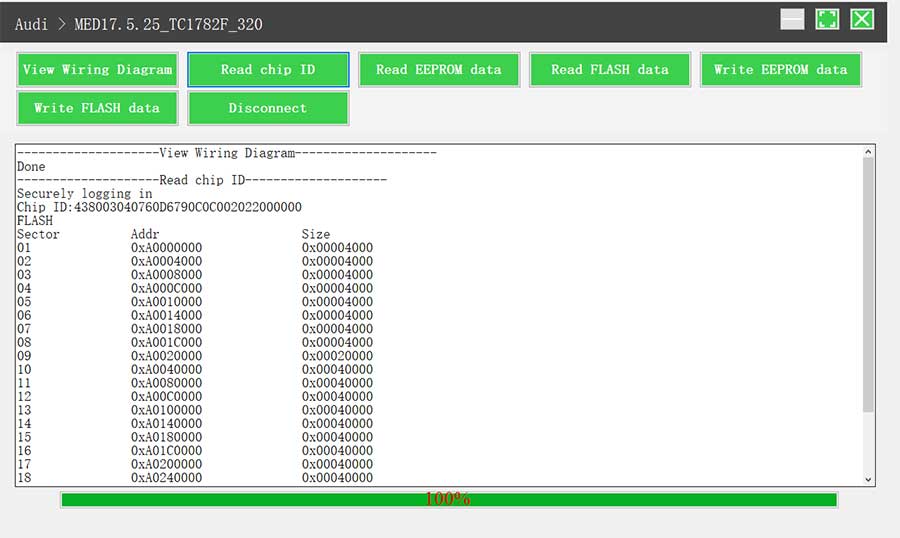
4. Read the chip ID, as shown in Figure 9.
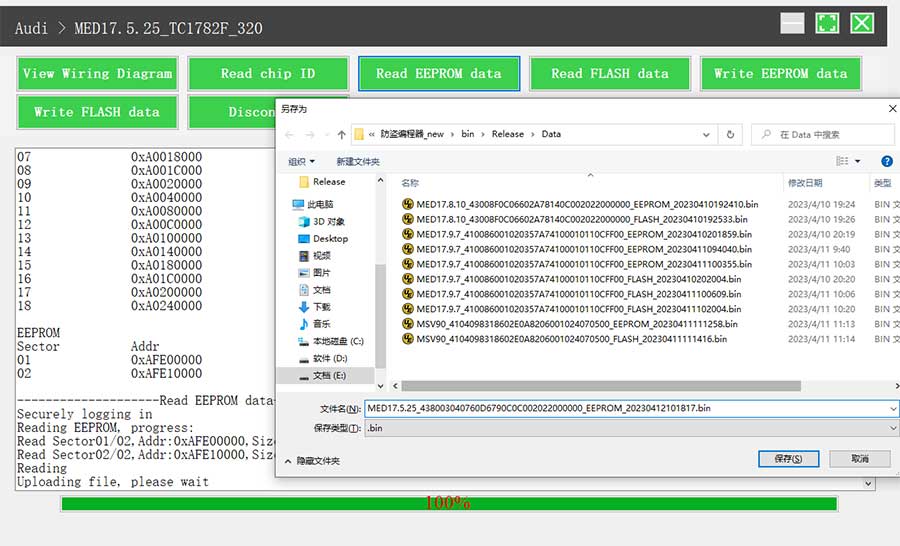
5. Back up the EEPROM data and save it, as shown in Figure 10 (the figure shows the save page of the read data).
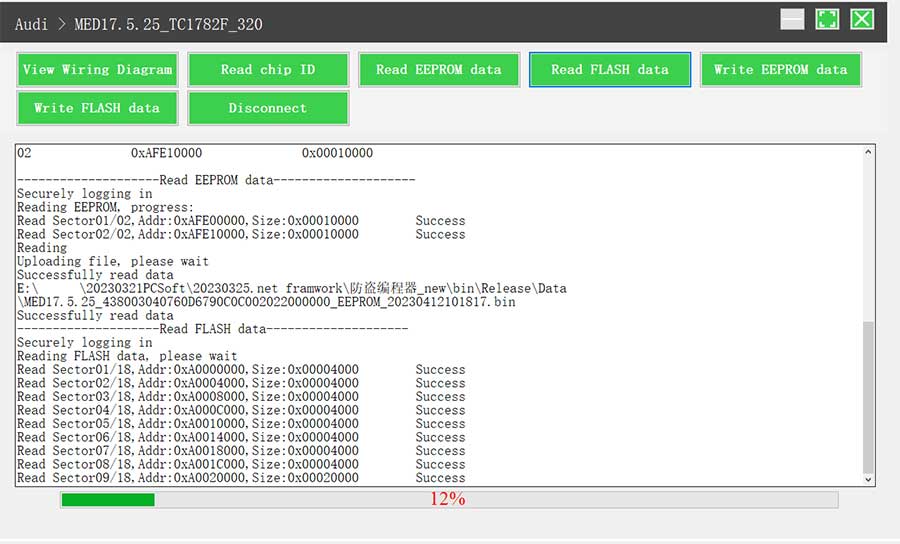
6. Back up the FLASH data and save it, as shown in Figure 11 (the figure shows the process of reading FLASH data).
7. Restore EEPROM/FLASH data, as shown in Figure 12 (the figure shows the file selection page).
II. Data Processing
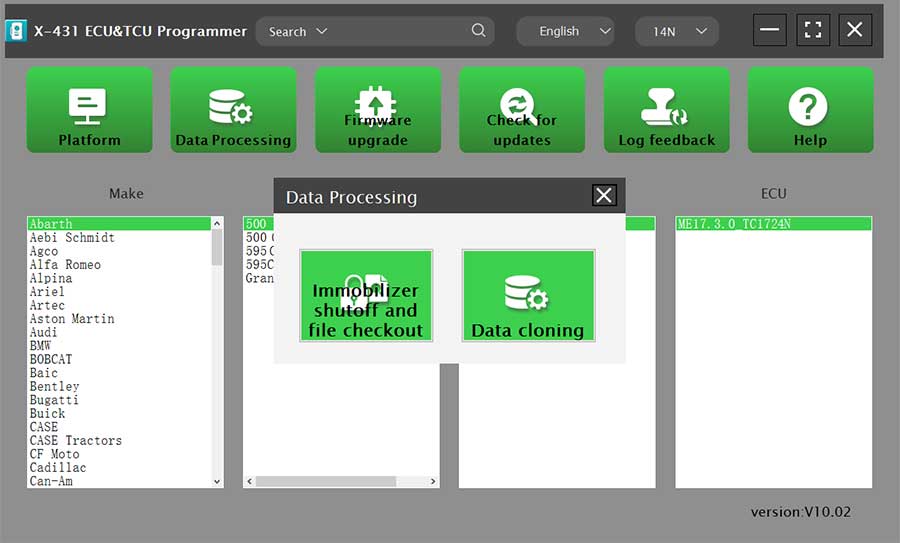
1. Click the [Data Processing] button on the main page, as shown in Figure 13, and select [IMMO Off and File Verification] ([DTC Shield] is not currently supported), as shown in Figure 14.
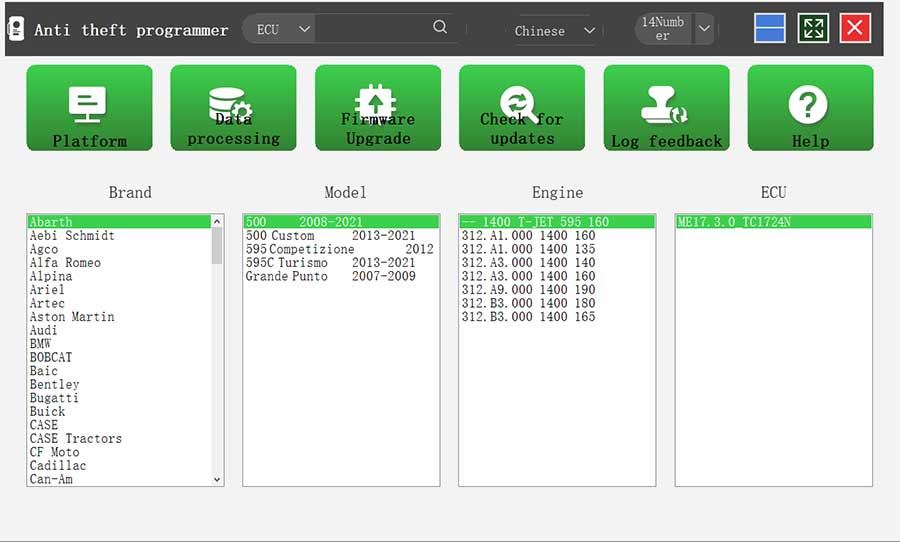
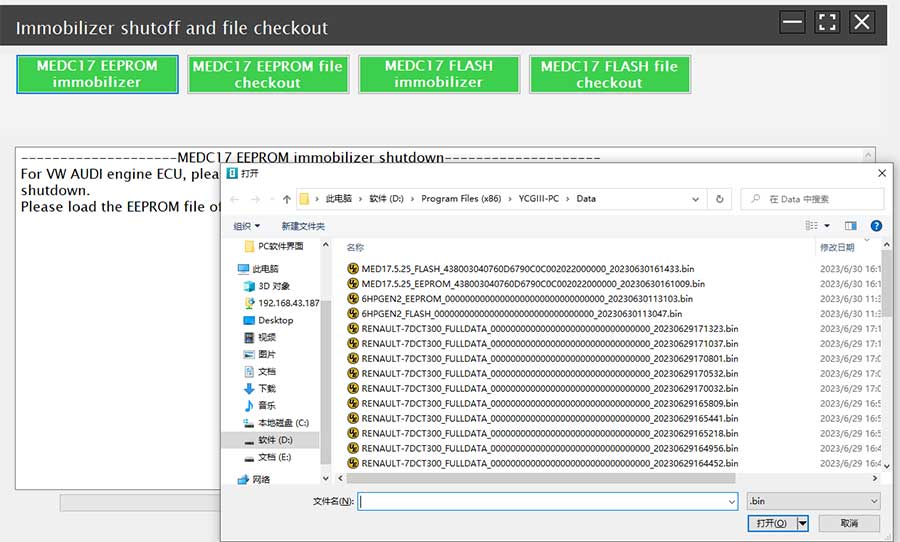
2. File verification and IMMO off (process: select file > connect network to obtain > save file), as shown in Figure 15.
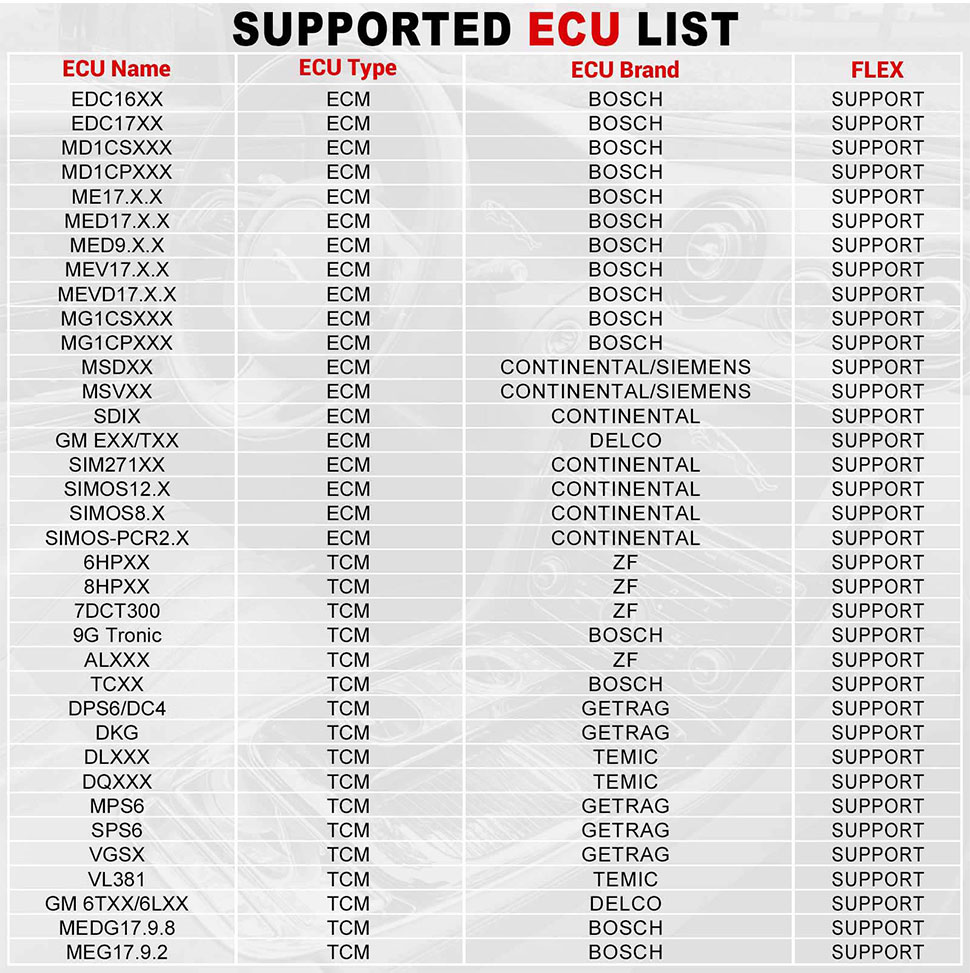
Support list June 2023:
| ECU Name | ECU Type | ECU Brand | FLEX |
| EDC16XX | ECM | Bosch | Support |
| EDC17XX | ECM | Bosch | Support |
| MD1CSXXX | ECM | Bosch | Support |
| MD1CPXXX | ECM | Bosch | Support |
| ME17.X.X | ECM | Bosch | Support |
| MED17.X.X | ECM | Bosch | Support |
| MED9.X.X | ECM | Bosch | Support |
| MEV17.X.X | ECM | Bosch | Support |
| MEVD17.X.X | ECM | Bosch | Support |
| MG1CSXXX | ECM | Bosch | Support |
| MG1CPXXX | ECM | Bosch | Support |
| MSDXX | ECM | Continental/SIEMENS | Support |
| MSVXX | ECM | Continental/SIEMENS | Support |
| SDIX | ECM | Continental | Support |
| GM EXX/TXX | ECM | DELCO | Support |
| SIM271XX | ECM | Continental | Support |
| SIMOS12.X | ECM | Continental | Support |
| SIMOS8.X | ECM | Continental | Support |
| SIMOS-PCR2.X | ECM | Continental | Support |
| 6HPXX | TCM | ZF | Support |
| 8HPXX | TCM | ZF | Support |
| 7DCT300 | TCM | ZF | Support |
| 9G Tronic | TCM | Bosch | Support |
| ALXXX | TCM | ZF | Support |
| TCXX | TCM | Bosch | Support |
| DPS6/DC4 | TCM | GETRAG | Support |
| DKG | TCM | GETRAG | Support |
| DLXXX | TCM | Temic | Support |
| DQXXX | TCM | Temic | Support |
| MPS6 | TCM | GETRAG | Support |
| SPS6 | TCM | GETRAG | Support |
| VGSX | TCM | GETRAG | Support |
| VL381 | TCM | Temic | Support |
| GM 6TXX/6LXX | TCM | DELCO | Support |
| MEDG17.9.8 | TCM | Bosch | Support |
| MEG17.9.2 | TCM | Bosch | Support |
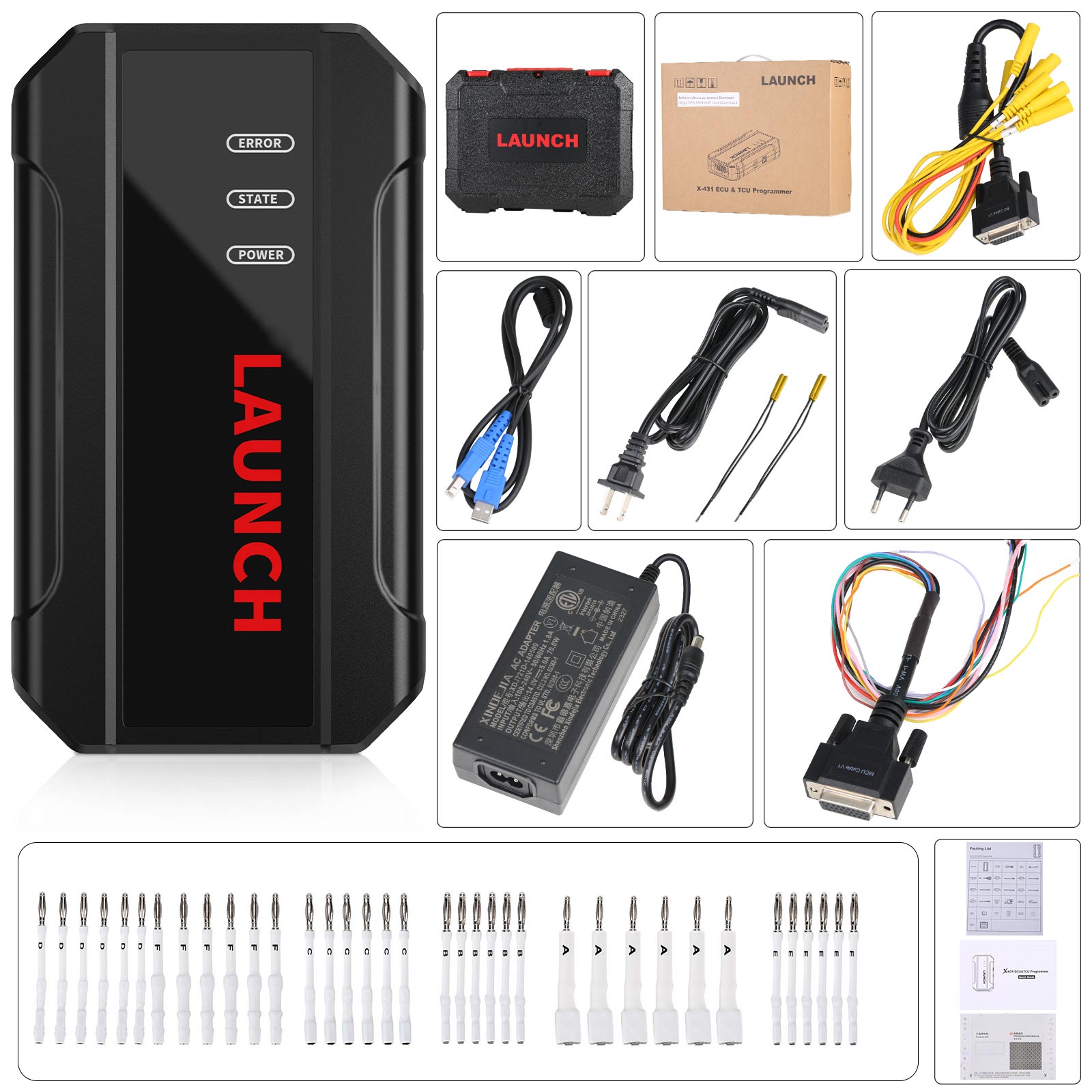
Package includes:
1pc x main unit
1pc x USB cable(type B)
1pc x MCU cable V1
1pc x Bench Mode Cable V2.0
2pcs x Bench Extension Cables
2pcs x Bench Extension Cables
6pcs x Matching adapters A
6pcs x Matching adapters B
6pcs x Matching adapters C
6pcs x Matching adapters D
6pcs x Matching adapters E
6pcs x Matching adapters F
1pc x switching power adapter
1pc x European power cord
1pc x user manual
1pc x packing list
1pc x password envelope
1pc x carrying case
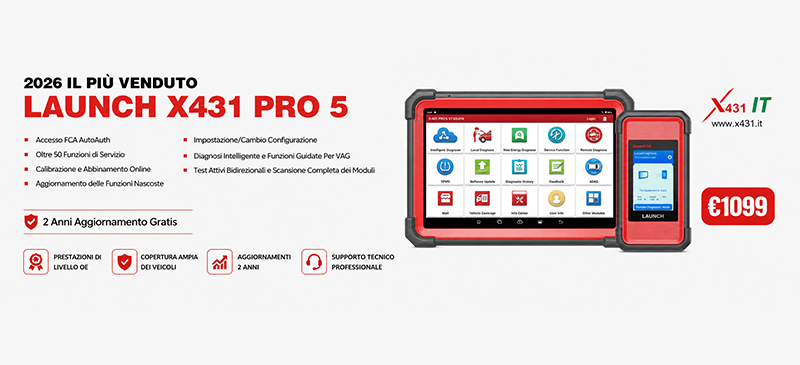
Il Più Venduto in Italia Launch X431 PRO 5
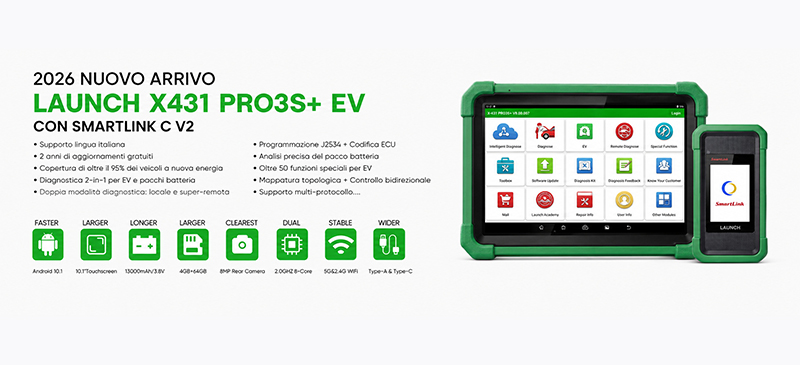
2026 Nuovo Arrivo Launch X431 PRO3S+ EV :
Spedizione & Consegna:
1)EU/UK Spedizione
1.Normalmente impiegano circa 3-6 giorni lavorativi per arrivare.
Valido solo per indirizzi locali nell'UE/Regno Unito – Solo per articoli con titolo contrassegnato"Spedito da UE/UK" Spediremo da un magazzino nell'UE o nel Regno Unito!
2. Il magazzino UE si trova in Germania o nella Repubblica Ceca e può spedire esclusivamente verso i paesi dell'Unione Europea:
Italia,Germany, France, Spain, Netherlands, Finland, Sweden, Austria, Belgium, Bulgaria, Croatia,
Czech Republic, Denmark, Estonia, Greece, Hungary, Ireland, Latvia, Lithuania,Luxembourg,
Malta, Poland, Portugal, Republic of Cyprus, Romania, Slovakia, Slovenia
- Nota: Se le scorte UE/UK dovessero esaurirsi, il tuo ordine verrà spedito per impostazione predefinita dalla Cina tramite DHL o YANWEN (senza tasse).
Yanwen Express: 7-12 giorni lavorativi:solitamente non sono previste tasse per i Paesi europei o le aree remote. Le imposte vengono pre-pagate al momento dell'arrivo del pacco, pertanto i clienti non dovranno sostenere alcun costo aggiuntivo o tassa doganale. (A causa delle elevate imposte doganali vigenti in alcuni Paesi europei — come Germania, Grecia, Romania, Svezia, Francia, ecc. — utilizzeremo Yanwen Express come opzione predefinita; qualora necessitiate di una spedizione più rapida tramite DHL, vi preghiamo di contattarci. Grazie.)
Spedizione DHL: 5-8 giorni lavorativi. Per agevolare le procedure di sdoganamento, dichiareremo un valore inferiore in fattura. Qualora l'indirizzo di destinazione rientri in un'area remota, sarà necessario corrispondere un supplemento per la spedizione in area remota; in alternativa, la spedizione verrà effettuata tramite Posta Ordinaria o servizi Express quali Yanwen/EMS/Aramex.
Spedizione EMS: Qualora l'indirizzo di destinazione rientri in un'area considerata remota dal servizio DHL, spediremo il pacco tramite EMS. I tempi di consegna saranno leggermente più lunghi, stimati in circa 7-15 giorni lavorativi. Vi contatteremo prima di spedire l'ordine; qualora foste disposti a sostenere i costi aggiuntivi per le aree remote, potremo procedere con la spedizione tramite DHL.
Servizio di Spedizione Standard a Tariffa Fissa: Di norma, gli ordini di importo inferiore a 150 USD vengono spediti tramite servizio postale (posta aerea a tariffa fissa), avvalendosi di operatori quali China Post e Yanwen ePacket; i tempi di consegna stimati sono di circa 10-20 giorni lavorativi.
Spedizione FedEx: Di norma non utilizziamo questo metodo di spedizione; qualora abbiate esigenze particolari, vi preghiamo di contattarci.
Contattarci
Email: Sales@x431.itWhatsapp: +86 18580434781
Live Chat: Visita il nostro sito web e clicca sull'opzione Live Chat per chattare con noi in tempo reale.